Design.
Explore the possibilities.
Create multipage layouts with frames, threaded text, styles, graphics and tables. Prepare print or digital documents in the browser and download native files, PDF, IDML or publishing exports.
Open Design ↗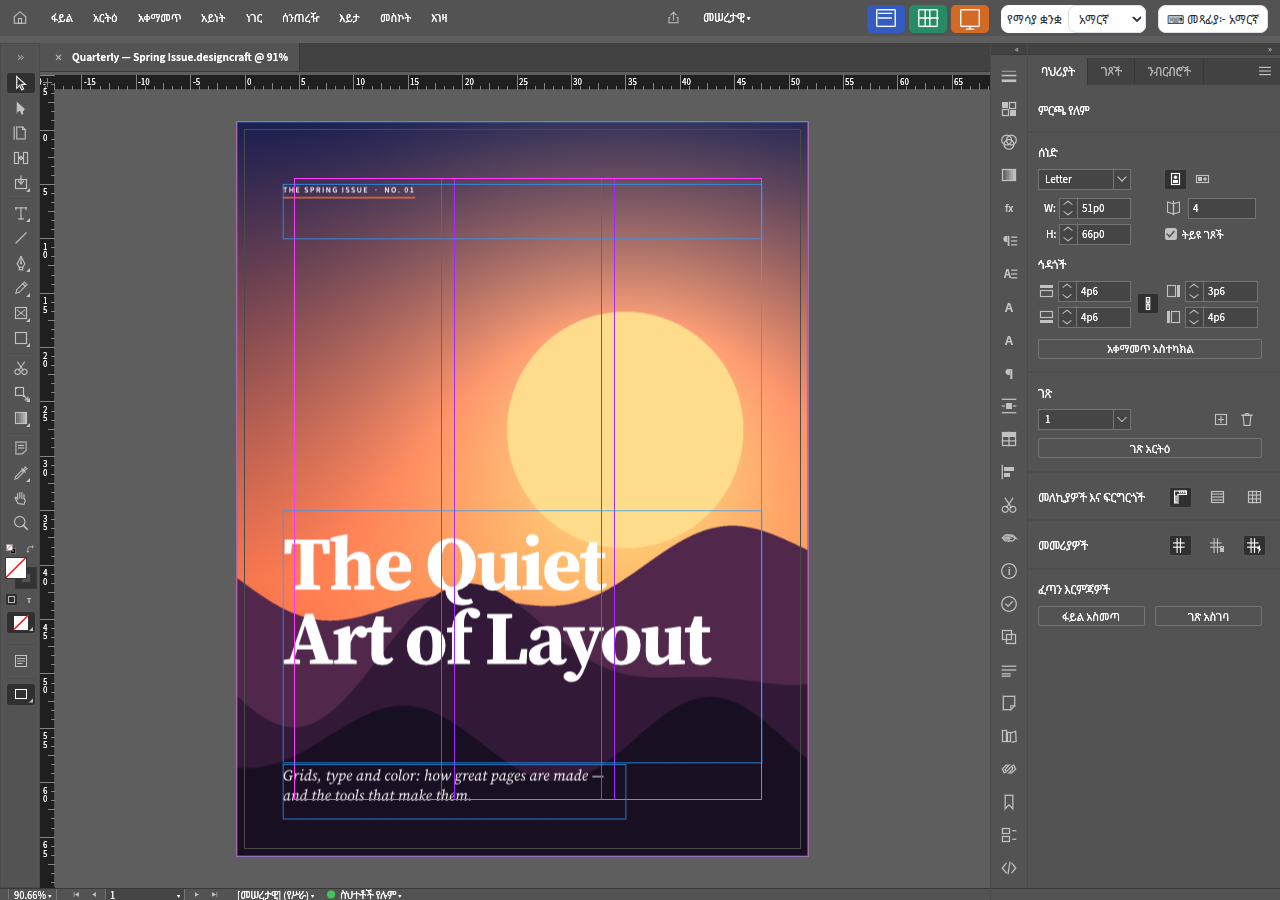
Feature guides
Create, open and save page layouts
Set up a document and understand browser opening, placing and saving.
Feature guideManage pages, parent layouts and guides
Organize multipage documents with reusable page structure and alignment aids.
Feature guideWrite text and link frames
Flow stories through frames, work with overset text and use the Story Editor.
Feature guideControl typography and reusable styles
Format characters and paragraphs, then reuse consistent styling throughout the document.
Feature guidePlace graphics and arrange layout objects
Fit images to frames, style objects and keep complex pages organized.
Feature guideBuild tables and structured publication content
Use tables, notes, cross-references and generated navigation inside page layouts.
Feature guideAdd links, bookmarks and editorial review
Prepare navigation and review information for digital documents.
Feature guideCheck color, graphics and overset before export
Use preflight and output previews to catch publication problems.
Feature guideExport PDF, IDML, EPUB and page images
Download files for print, reading, exchange and digital publication.
Feature guideCustomize the workspace and find commands
Arrange panels, choose a workspace and find the tools needed for the current document.
Detailed reference
Arabic text, direction and imported typography
A detailed reference for imported text controls, supported composition rules, font requirements and explicit compatibility limitations.
ReferenceCJK spacing, line breaking and imported rules
A detailed reference for imported text controls, supported composition rules, font requirements and explicit compatibility limitations.
Open, save, and share
| Format | Open / import | Save / export | Notes |
|---|---|---|---|
| designcraft | Yes | Yes | Native editable document; browser Save downloads. |
| idml | Yes | Yes | Interchange package; inspect fidelity and import warnings. |
| png | Yes | Yes | Place image; export rendered page. |
| jpg / gif / webp / tif / tiff / bmp / psd / svg | Yes | No | Placed graphics; support varies by embedded features. |
| pdf / ai | Yes | No | Placed graphics, not editable PDF page objects. |
| pdf export | No | Yes | Fixed-layout export including supported print or interactive options. |
| txt / docx / rtf / md / xlsx | Yes | No | Placed content, not full editing of the source application format. |
| epub | No | Yes | Reflowable or image-based fixed-layout export. |
| html | No | Yes | Basic self-contained page export. |
| xml | No | Yes | Tagged-content export. |
| rtf story | No | Yes | Export the active story as text content through the UI export path. |
Browser limitations
- Save downloads a file; it does not overwrite the original local document.
- INDD/INDT/INDB/INDL are not browser Open formats; request an IDML exchange file.
- IDML import/export is not a guarantee of exact typography, geometry or complete feature preservation.
- The browser does not provide the desktop synchronous file picker or arbitrary filesystem access. Package, Save a Copy, multi-file books, data-source file selection and some advanced import dialogs must not be advertised as working web workflows.
- Manual threading works, but autoflow has known limitations around existing pages, grouped frames and Primary Text Frame documents.
- Browser fonts are bundled; desktop system-font activation and font-manager integration are not browser capabilities.
- Spelling and hyphenation language coverage is limited.
- Fixed-layout EPUB uses page images, and HTML export is a basic single page.
- Placed PDF content is not editable PDF vector artwork.
- Output presets do not establish PDF/UA compliance or validate every print-production requirement.
Frequently asked questions
Can Design open InDesign files?
The browser opens IDML exchange packages and native .designcraft files. It does not advertise INDD support. Ask for an IDML file and review import warnings and page appearance.
Can I link text frames across pages?
Yes. Manual threading lets one story continue through multiple frames. Check for overset text; automatic page flow has known limitations in this version.
Does Save update the original file?
No. Browser Save downloads an editable native file. Keep that download before closing or refreshing the page.
Can I export a print PDF?
Yes. PDF export includes supported production options such as marks and bleed. Run preflight and inspect the downloaded PDF against your printer’s requirements.
Can I make an EPUB or HTML file?
Yes. Reflowable EPUB, fixed-layout EPUB and HTML exports exist. Fixed-layout EPUB uses page images, while HTML export is a basic self-contained page.
Does the browser support data merge and packaging?
The underlying application has these commands, but data-source file selection and folder packaging rely on desktop filesystem services missing from the browser shell. They are not supported browser workflows in this guide.
Why is text missing from the page?
It may be overset: the story contains more text than its frames can display. Run preflight, enlarge the frame or continue the story into another frame. Check fonts as well, because substitution can change line breaks.