Word.
Explore the possibilities.
Write, format, review and export documents in your browser, with page layout, tables, references and mail merge.
Open Word ↗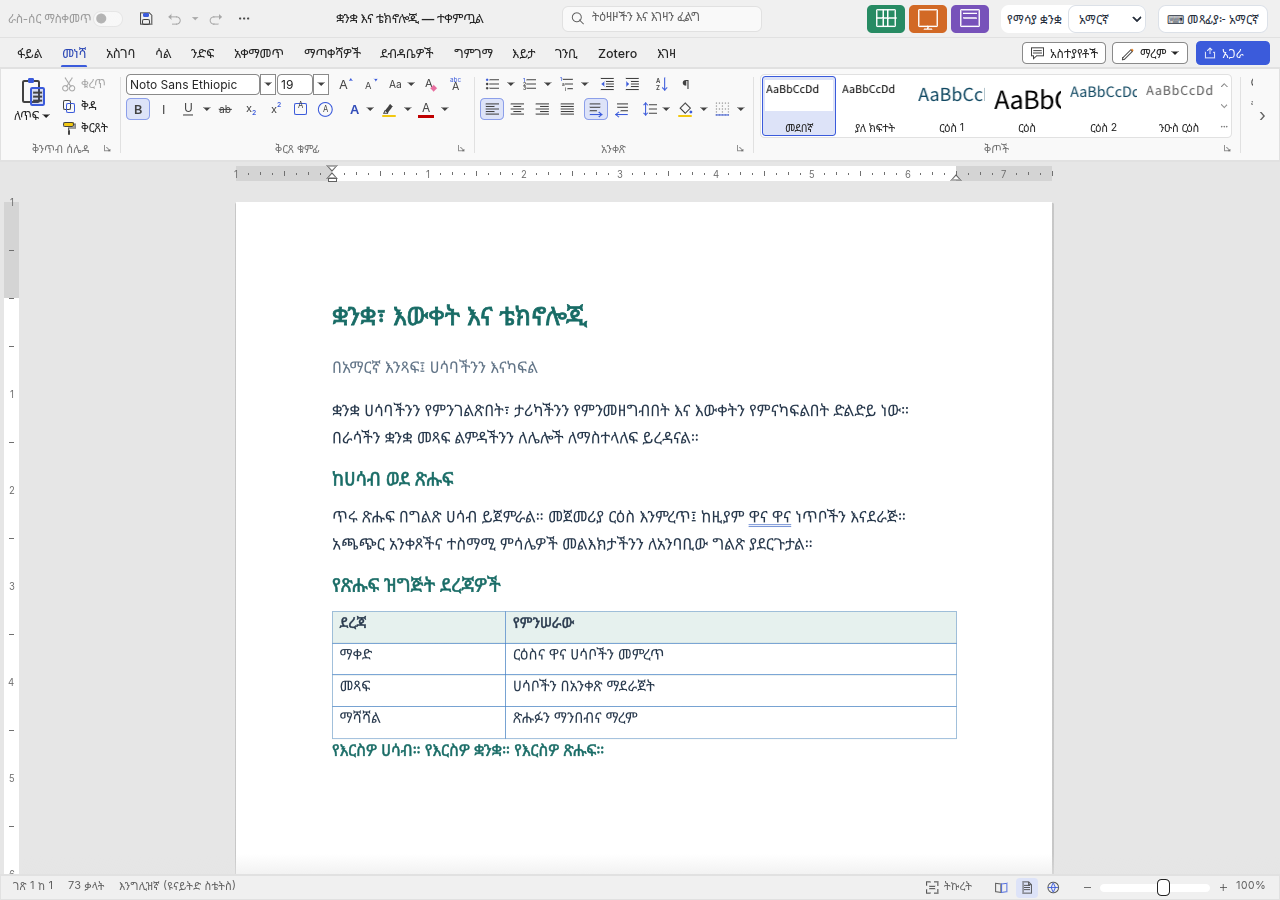
Feature guides
Create, open and save documents
Start a document, open an existing file and download an editable copy or a finished PDF.
Feature guideText, styles and lists
Build readable documents with consistent type, paragraphs, headings and lists.
Feature guidePage layout, headers and sections
Set up pages for reports, letters and longer documents.
Feature guideCreate and format tables
Organise structured information with editable rows, columns and cell formatting.
Feature guidePictures, diagrams and equations
Add visual explanations, labelled figures and mathematical content.
Feature guideReferences and long documents
Maintain contents pages, notes, captions and cross-references.
Feature guideReview, comments and tracked changes
Review edits deliberately and leave clear feedback on a document.
Feature guideMail merge and document forms
Prepare personalised letters and reusable document controls.
Feature guideFind, navigate and adjust your workspace
Move around large documents and choose a useful editing view.
Detailed reference
List editing and Undo: what each key does
A behavioural reference for starting and ending lists, nested items, line breaks, pasted paragraphs and undo boundaries.
ReferenceGenerate sample text to test a document layout
Use =lorem() and =rand() with paragraph and sentence counts to explore formatting on a blank document.
Open, save, and share
| Format | Open / import | Save / export | Notes |
|---|---|---|---|
| DOCX | Yes | Yes | Primary editable interchange format; complex document fidelity is not guaranteed. |
| DOCM / DOTX / DOTM | Yes | No | Supported opening; the visible export menu offers DOCX rather than a dedicated macro/template export. Do not rely on the browser to preserve a macro-enabled original. |
| DOC / DOT | Yes | No | Legacy import is partial; save into a supported modern format. |
| ODT / RTF | Yes | Yes | Interchange with reduced feature fidelity. |
| TXT / Markdown / HTML | Yes | Yes | Text-oriented interchange; not all page and review structure survives. |
| No | Yes | Export finished pages, not editable PDF import. | |
| Word XML / Word 2003 XML | Yes | Yes | Available in the browser export menu; verify exchanged layout. |
| LaTeX | Yes | Yes | Text-oriented interchange with limited document fidelity. |
| PNG | No | Yes | Export a page image; inserted PNG pictures are a separate feature. |
Browser limitations
- No simultaneous co-authoring or cloud document storage in the browser editor.
- Browser autosave is disabled; save downloaded copies before closing the tab.
- Imported DOCX layout and advanced objects may differ or lose unsupported information; preserve originals.
- No password-encrypted document open/save, no DOC writer and no PDF-to-editable-document reflow.
- Macros may be preserved in supported macro-enabled formats but do not execute.
- Proofing is language-dependent; typing support is broader than dictionary coverage.
- Citation source libraries are session-limited rather than fully preserved in DOCX.
Frequently asked questions
Can I edit a Word document in my browser?
Yes. Open a supported DOCX file, edit it and save an editable copy. Preserve the original when the document has complex layout or objects.
Does Word save automatically?
The browser shell disables desktop autosave. Save and verify a downloaded copy before closing or reloading.
Can I export my document as PDF?
Yes. Export PDF for a paginated copy and review its pages before sharing.
Can I review edits and leave comments?
Yes. Comments and supported tracked changes are available. Exchange saved files; simultaneous co-authoring is not provided.
Can I create personalised letters?
Yes. Mail merge accepts supported recipient files, offers record previews and creates merged documents. It does not send email merges.
Does every language have spelling checks?
No. Text entry and display cover more languages than the available proofing dictionaries.